Artifact management
Colander streamlines the handling and preservation of digital evidence, maintaining chain of custody and maximizing admissibility in legal proceedings.
Artifact upload
Artifact creation form
Users can import files from the Artifact entry in the Collect workspace.
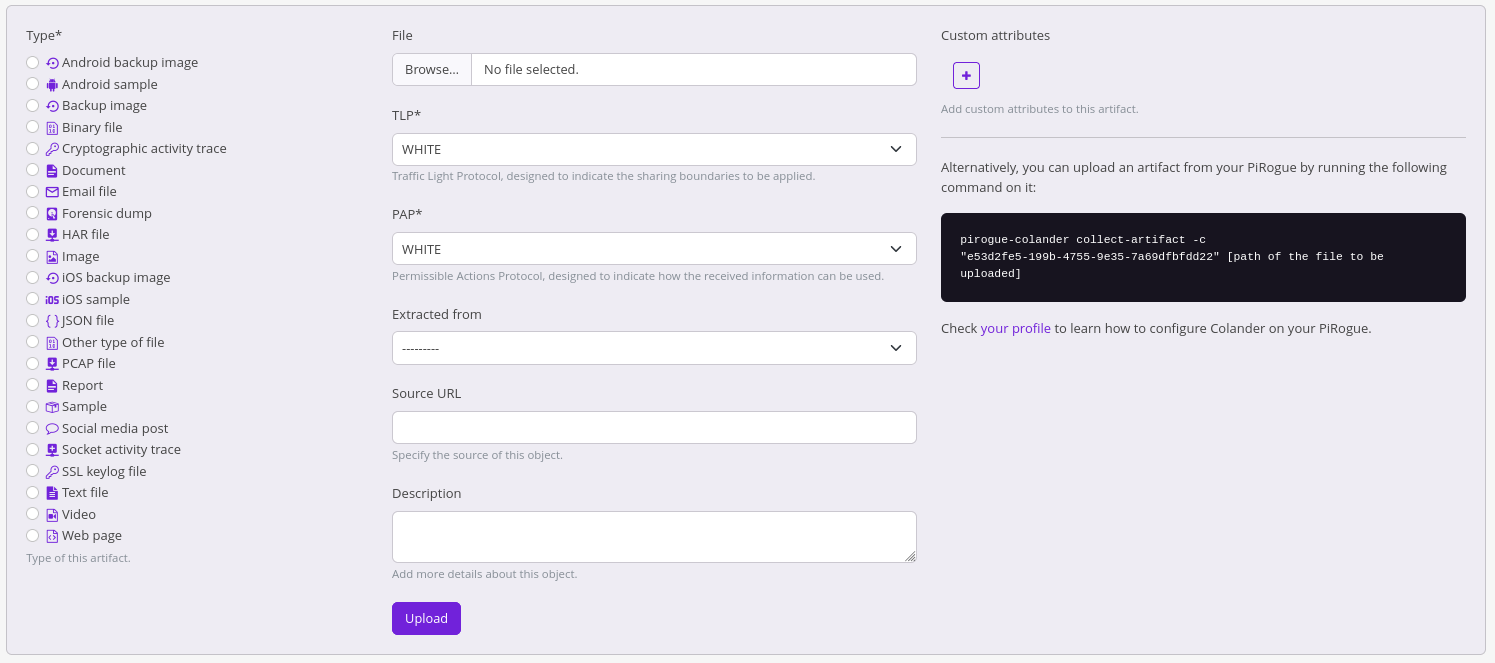
The file will be uploaded by chunks allowing the users to upload large files even if they rely on an instable or slow Internet connection.
Colander client for PiRogue
Alternatively, users can easily import artifacts using the Colander client for PiRogue which is installed by default on the PiRogue. The command line to be used is listed in the artifact creation form. This command looks like
pirogue-colander collect-artifact -c "[case ID]" [path of the file to be uploaded]
REAT API
Refer to the RESP API documentation.
Artifact processing
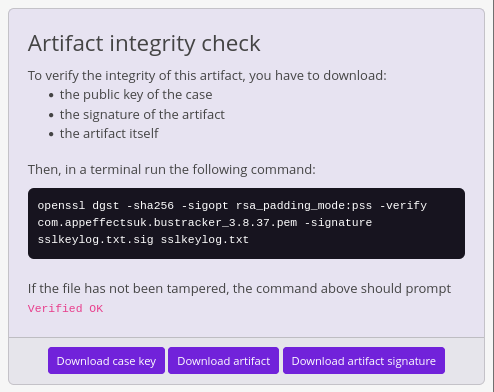
Once uploaded, Colander will compute the mimetype, MD5, SHA1 and SHA256 of the artifact. Then, a detached digital signature will be computed using the private key of the case the artifact belongs to. Later, when sharing an artifact, its integrity can be checked by the recipient using openssl. To do so, the recipient needs:
- the public key of the case
- the signature of the artifact
- the artifact itself
Artifact analysis
Once hashed and signed, every uploaded artifact is automatically submitted to Mandolin, the micro-service in charge of analyzing files. The analysis is offline: files are processed by your own Colander deployment and are never sent to a third-party service, which preserves the confidentiality of your case.
The analysis runs in the background, so results can take a few moments to appear after the upload. They are shown in the details of the artifact:
- Content and metadata extraction: the text contained in the file is extracted with Apache Tika, for over a thousand file types (documents, spreadsheets, PDFs, emails, etc.), and displayed in the artifact details. When the file embeds GPS coordinates (for instance a photo), the location is displayed on a map.
- Thumbnails: a thumbnail is generated for pictures.
Mandolin can also scan files with ClamAV and apply Yara rules. The integration of the antivirus scan in Colander, which flags infected artifacts and displays the name of the detected threat, is under development at the time of writing.
Mandolin is deployed by default with Colander. To disable the analysis of artifacts, see Per host customization (use_mandolin).